
How to download and install the Universal add-on
To activate the Universal add-on on your device, please follow these steps:
1. Download the TeamViewer QuickSupport from the Play Store.
Note: You can also download the apps directly from our website on the Android device you want to control remotely:
TeamViewer QuickSupport (APK Download)
2. Launch the app
If the device manufacturer has no dedicated add-on, a prompt will appear to advise you to download the Universal add-on. Click Download to proceed.
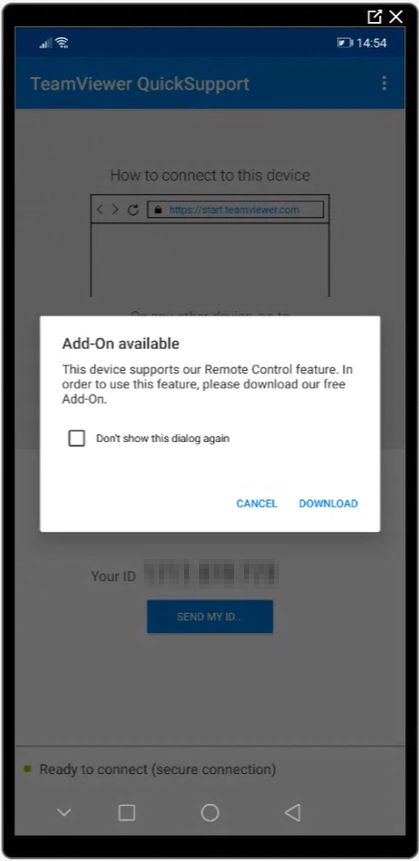
3. When prompted, click Enable to install the Universal add-on.
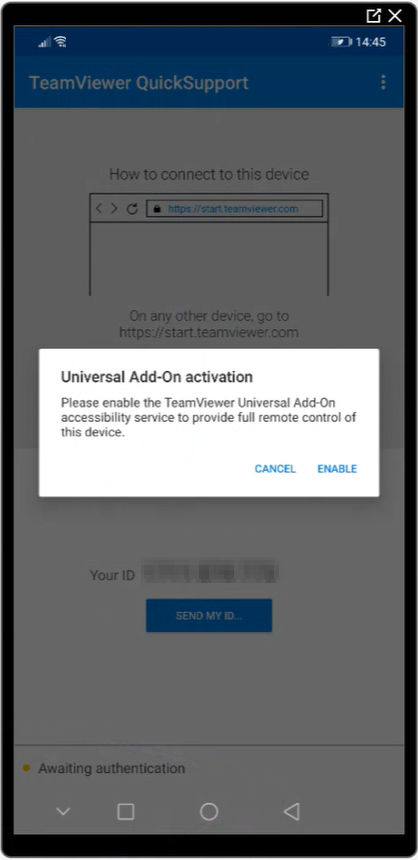
4. Once installed the add-on, navigate to the Accessibility menu of the Android device and enable the Universal add-on accessibility service.
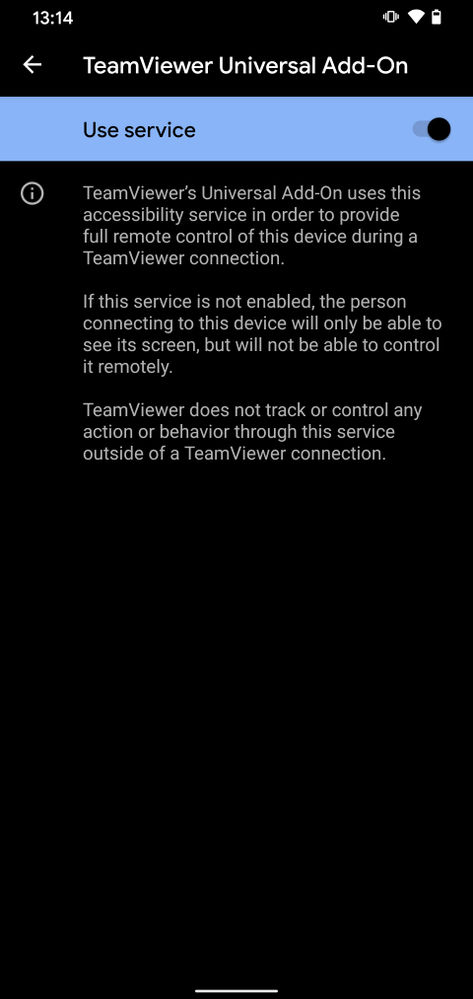
Once completed, the device is ready to be used with TeamViewer.
Download the Universal add-on APK
To download the Universal add-on APK, please click the link below: