
How to setup your devices
On the local device
On the local device (the device connecting to the Android device), you must download and install the TeamViewer Remote Control app.
Note: For your local devices, you can download it from the Play Store, our website, or the direct TeamViewer APK here.

On the remote Android device
On the remote Android device (the device receiving the connection), you must download and install the TeamViewer QuickSupport app and allow the app to Display over other apps in your Android Settings.
Note: For your remote devices, you can download it from the Play Store, our website, or the direct TeamViewer QuickSupport APK here.
How to connect
Step 1: Connect to the Android device
- On your local device, open the TeamViewer Remote Control app and access the Connect menu.
- Enter the TeamViewer ID displayed on the remote Android device’s QuickSupport interface.
- Hint: You can also save the Android device in your device list via Bookmarks, so you don’t have to manually enter the TeamViewer ID every time you connect. Please check the How to bookmark a device section of this article to learn how to proceed.
- Press Remote Control
Step 2: Allow the connection on the partner’s device
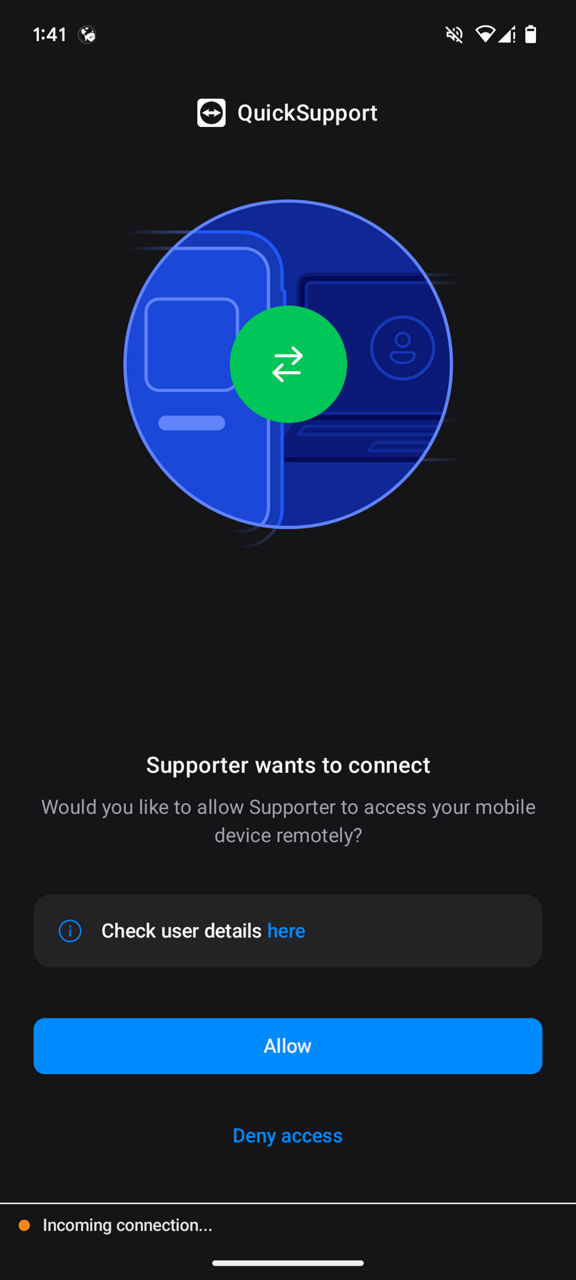
A remote control confirmation will pop up on the remote Android screen.
Select Allow to allow the remote control connection.
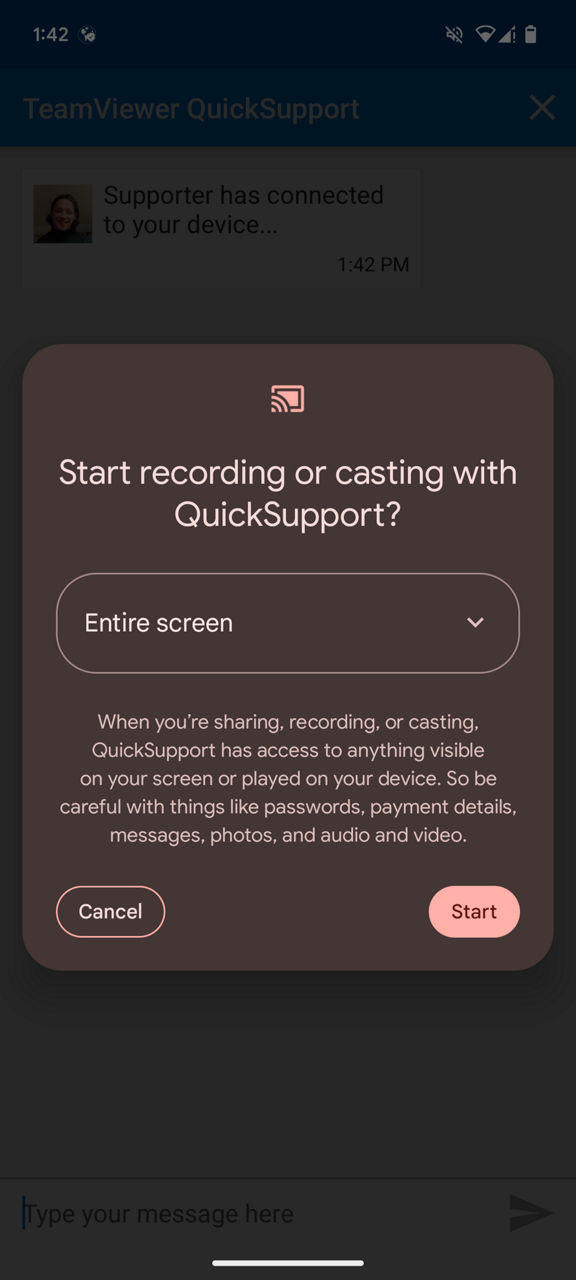
Note: Some devices will also ask you to start the screen recording. In this case, please select Start now.
Step 3: You are now connected!
You are now connected to the Android device and can remotely control it.
Compatibility
If only screen-sharing is available when connecting to the Android device, the Android device might not be compatible with this technology.